
Changelog
What's New?
A collection of new features we've just launched in Lessonspace!
New Documentation

The new documentation makes it easier than ever to get up and running using our API. We've refrershed the look of the docs, making them easier to navigate, and simplified the guide section. There's also an overhauled and now fully documented features section, and an API Reference at /docs/api. We've also got a "recipes" section to help you navigate specific use cases.
Sticky Notes
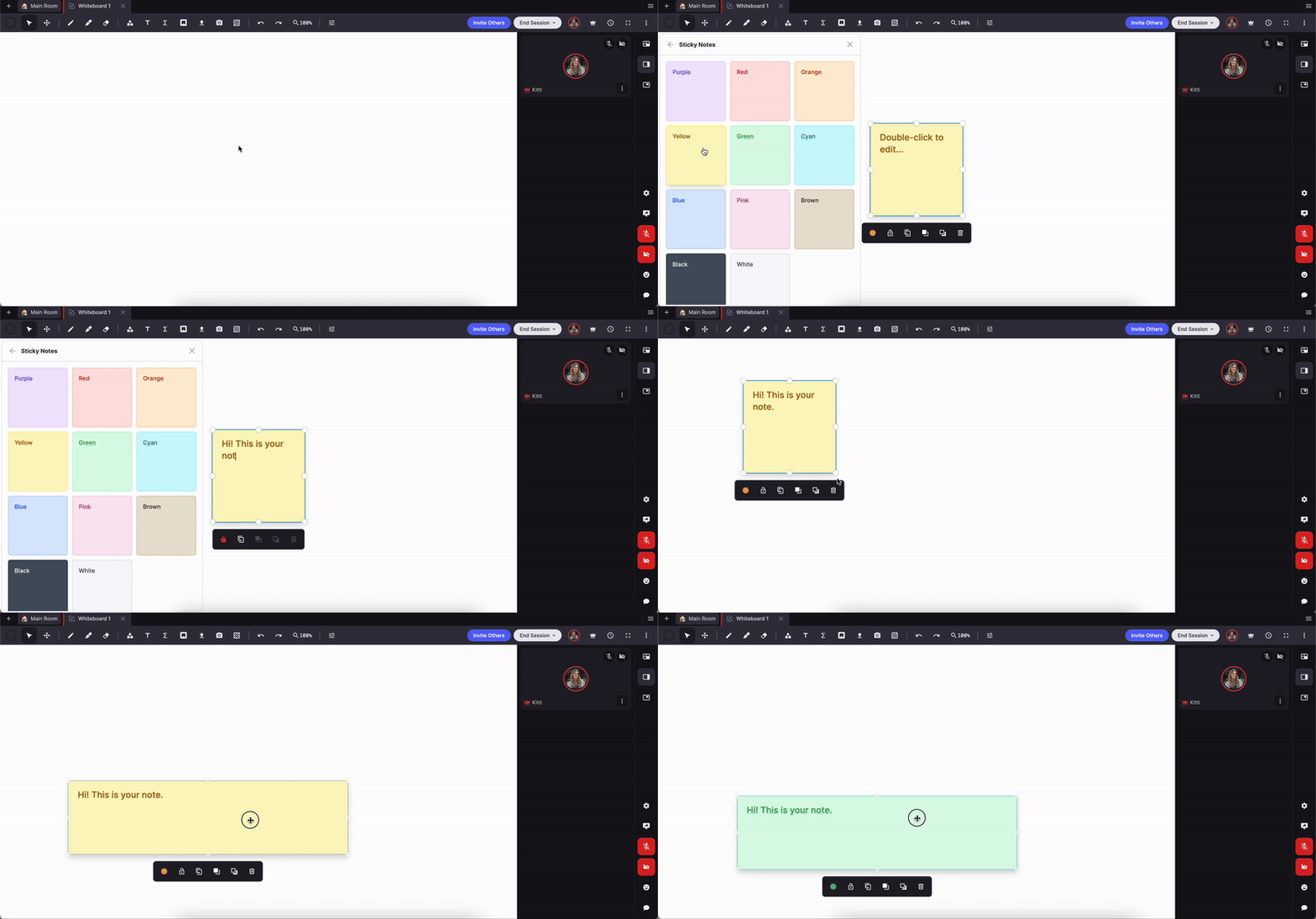
Virtual sticky notes are a powerful tool for educators or facilitators, offering an interactive way to organize, present, and engage with information. Online sticky notes can be color-coded, rearranged, and customized in real-time, so you can adapt to each student's needs instantly.
New scrolling preferences

We've updated the default scrolling behavior on the whiteboard to align with standard web practices. Now, scrolling will move the page instead of zooming by default. You can still adjust these settings to your preference in the whiteboard settings menu.
New Background Colors for Whiteboards + Isometric Grid

We've added new background colors to the whiteboard, offering more customization for your lessons! Plus, an isometric grid option is now available, perfect for geometry or design-related activities.
Our document editor also just got a little more vibrant! You can now change the background color of your document tabs, making content more customizable and accessible for students with different learning needs. Plus, hide cursors on the text editor for distraction-free typing!
New Background Colors for Documents
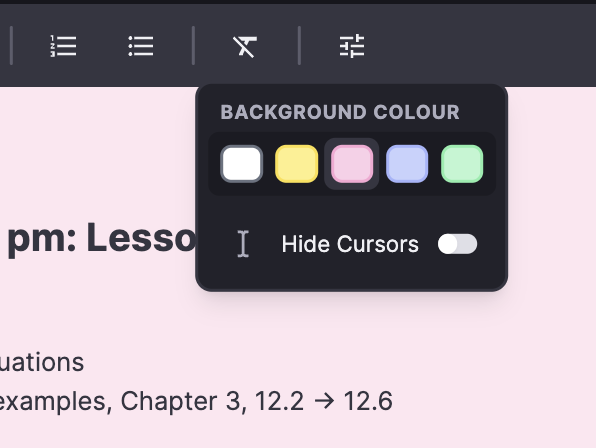
Our document editor just got more vibrant! You can now change the background color of your document tabs, making content more customizable and accessible for students with different learning needs. Plus, hide cursors on the text editor for distraction-free typing!
Cobrowser

We've introduced the Lessonspace Cobrowser, a powerful new tool that lets you and your students collaboratively browse the web within a shared browser window in a Space. This feature allows for real-time interaction with websites, making it perfect for exploring news sites, playing educational games, or working through browser-based worksheets together. You can even open additional tabs within the Cobrowser, enhancing interactivity and collaboration in your virtual classroom.
Breakout Rooms

We've released our highly anticipated breakout rooms feature. Now, you can easily split classes into smaller groups for focused activities, discussions, or collaborative tasks. The new breakout rooms provide enhanced control, allowing you to monitor idle users, mute or disable videos, and restrict editing access—all while viewing all video feeds on a single screen. This update is all about making group work more manageable and effective in your virtual classroom, ensuring you can maintain a smooth and organized learning environment.
New Overview Page

We've released a more refined overview page to general access. The new view includes a simplified set of charts of your account's session data, the latest changelog posts (like this one!) so you can keep up to date on what's new at Lessonspace, some suggested things to do to get the most out of your Lessonspace account, and a little billing summary showing your next invoice and current storage capacity.
More improvements to the page will be coming soon. If you still need to access the old overview page for whatever reason, you can get to it via the link at the bottom of the new overview. We'll be sunsetting the old overview in a few months.
Dice app

The dice app is now available in the Apps section of the Library on any whiteboard tab.
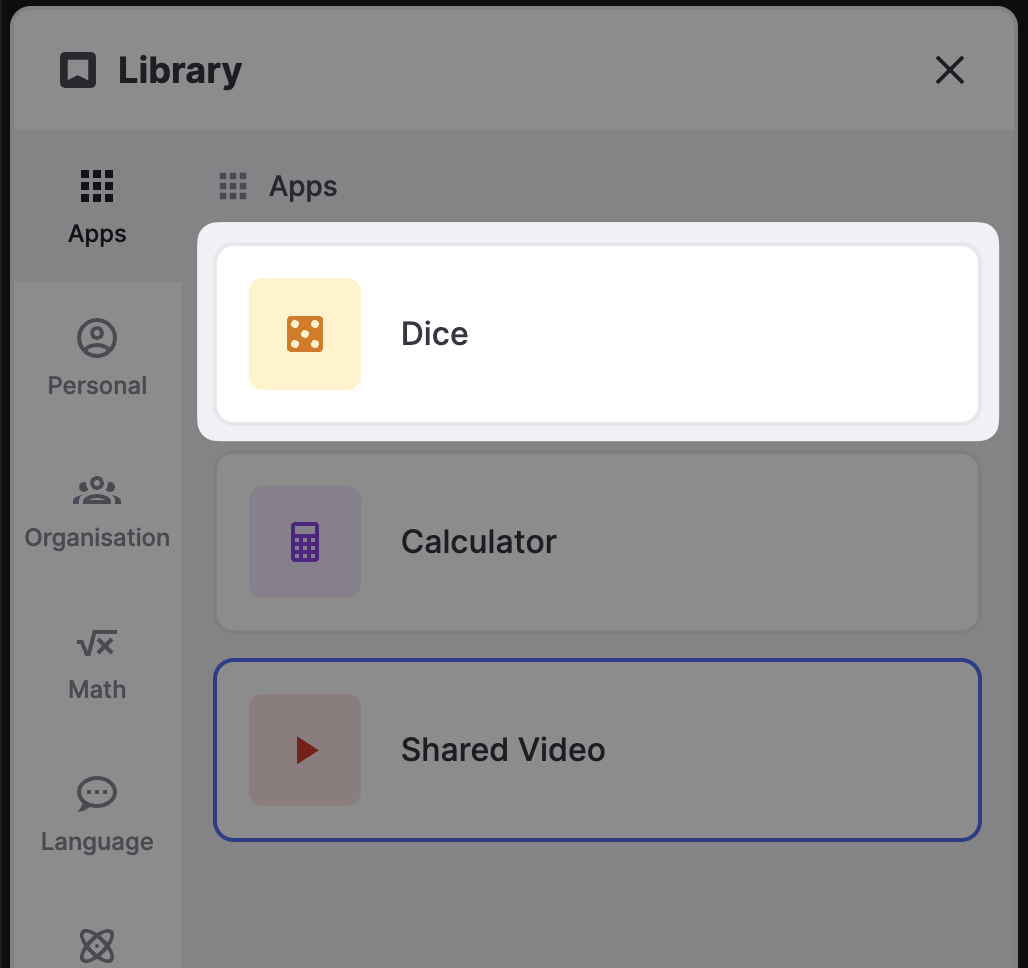 Use it to teach probability, statistics, counting, combinatorics, game theory or just to inject some random chance into your lessons!
Optimised PDF imports

Importing a PDF into a Space is now much faster thanks to numerous performance improvements. Large files in particular are handled much better by the upload interface and you can now select pages to import before the entire document has been converted thanks to asynchronous processing.