
Changelog
What's New?
A collection of new features we've just launched in Lessonspace!
Improved profanity filtering
We've made some upgrades to our profanity filter to make it more effective at catching profanity across the in-Space experience.
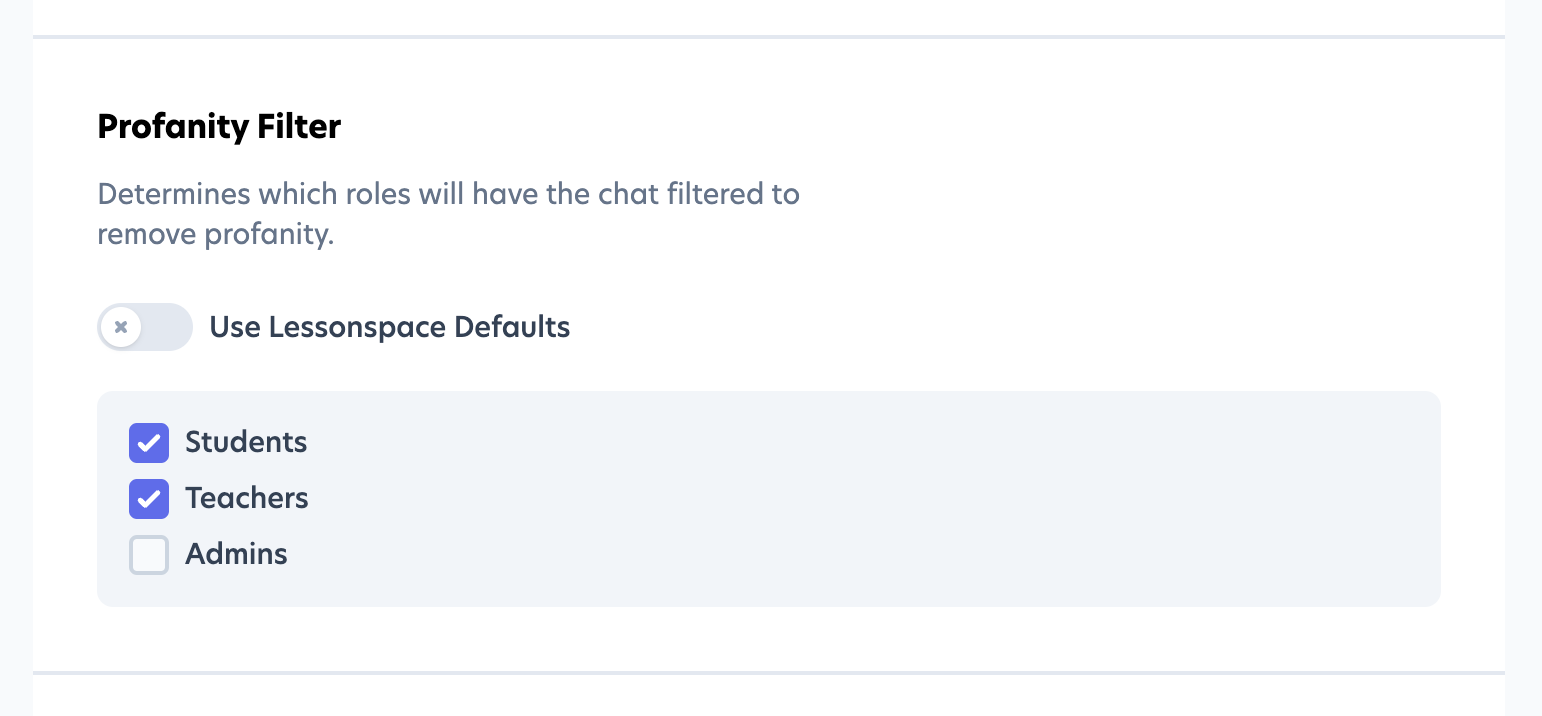 As always you can enable the profanity filter for students, teachers, and/or admins from the Spaces tab under Settings on your Lessonspace dashboard.
Toggle whiteboard viewports
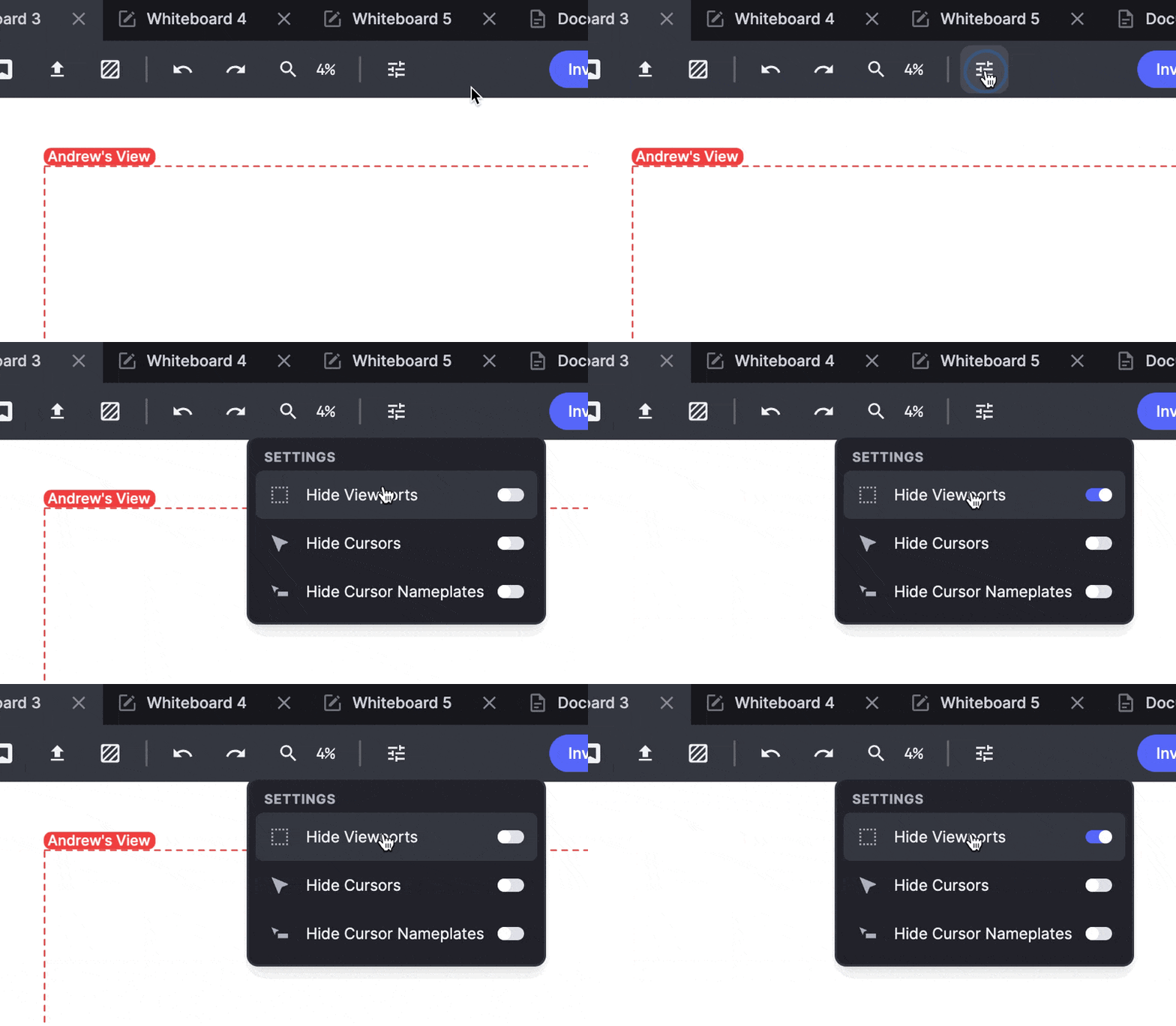
Whiteboard viewports are a great way to make sure that everyone in the Space can see the same portion of the board as you, but sometimes they can become a bit distracting. This small quality-of-life improvement will let you switch off viewports, much like you can toggle cursors and their nameplates on and off.
Shared video embed


Just open up the app copy and paste any YouTube URL into the field to start sharing an embedded YouTube player. Playing, pausing and seeking will be sync'd across everyone in the Space.

Use the Shared Video app to provide accompanying visuals to help explain concepts, or use it to add some sound to your lessons.
Calculator app

In the Apps section of the Library you can now find a collaborative calculator.
 The calculator app offers a standard calculator interface, DEGREE and RADIAN settings with a set of scientific notation buttons and also supports LaTeX input. Each answer is saved into a collapsed history list which you can expand and click to highlight answers to draw attention to them.
Workee integration
Lessonspace now integrates with Workee! Workee is an all-in-one solution for private teachers and tutors. Manage your students, bookings, schedules, and payments all in one place with 0% fees!
Turkish language support
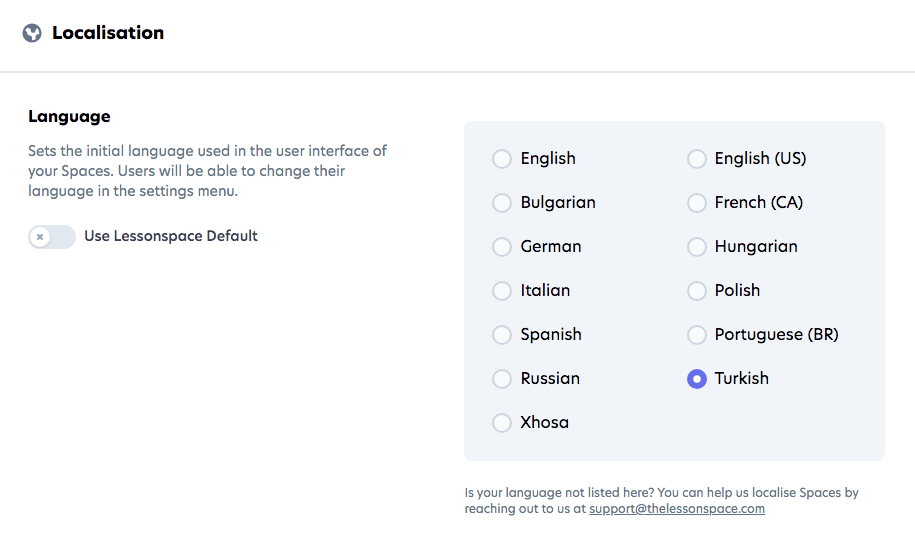
The Lessonspace user interface for the Spaces is now available in Turkish. You can change the Space language on your Lessonspace dashboard Settings page.
New arrow and line tools
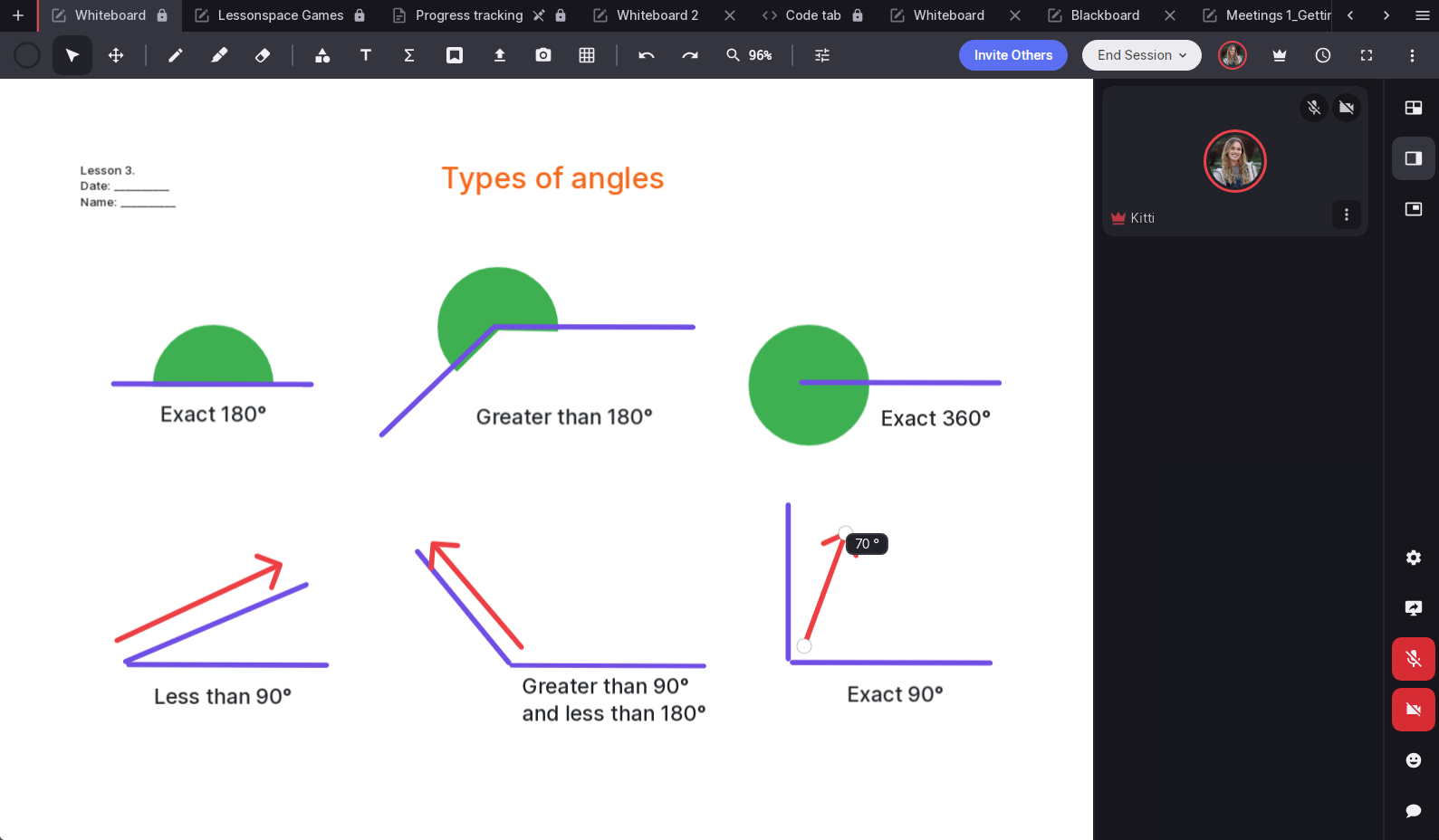
We've revamped our arrow and line tools! Now, when using these features on the whiteboard, you'll see the degree of angles displayed, making it easier to teach mathematical concepts. Hold down Shift to lock 15-degree increments for precise shapes or lines.
Sort resources by name or date
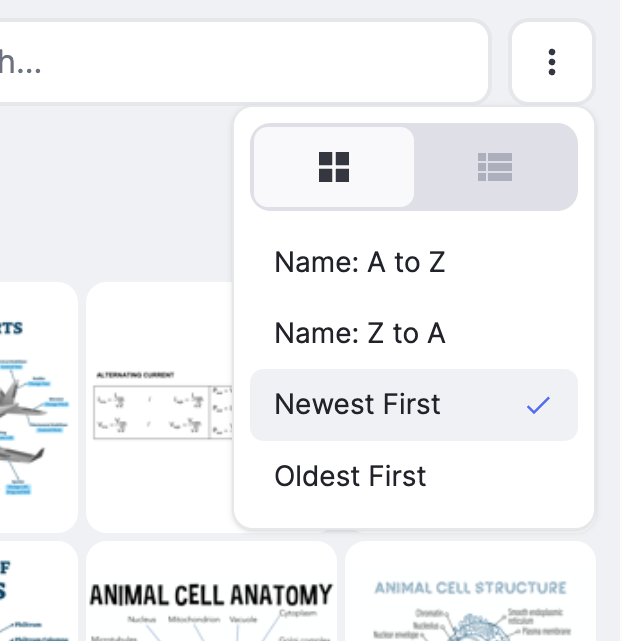
Introducing a new sorting feature that allows you to organize resources in the Resource Drawer by name or upload date, making it easier to sort and find resources within the Space.
Session details
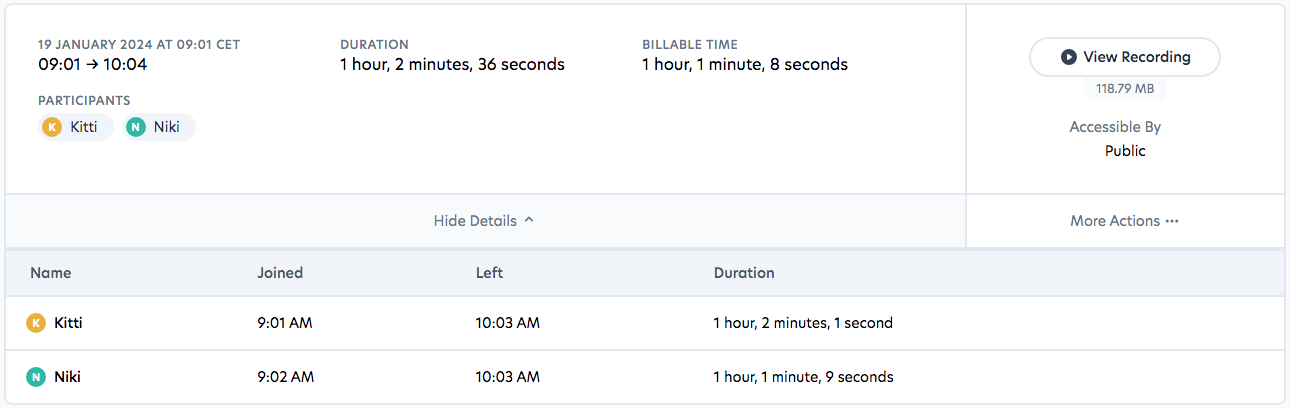
The session log details have been updated to include join and leave times for all participants in a convenient list format, along with the duration each participant spent in the session. Users can now download the CSV file of the log directly from the 'More Actions' dropdown menu.
Session end redirect
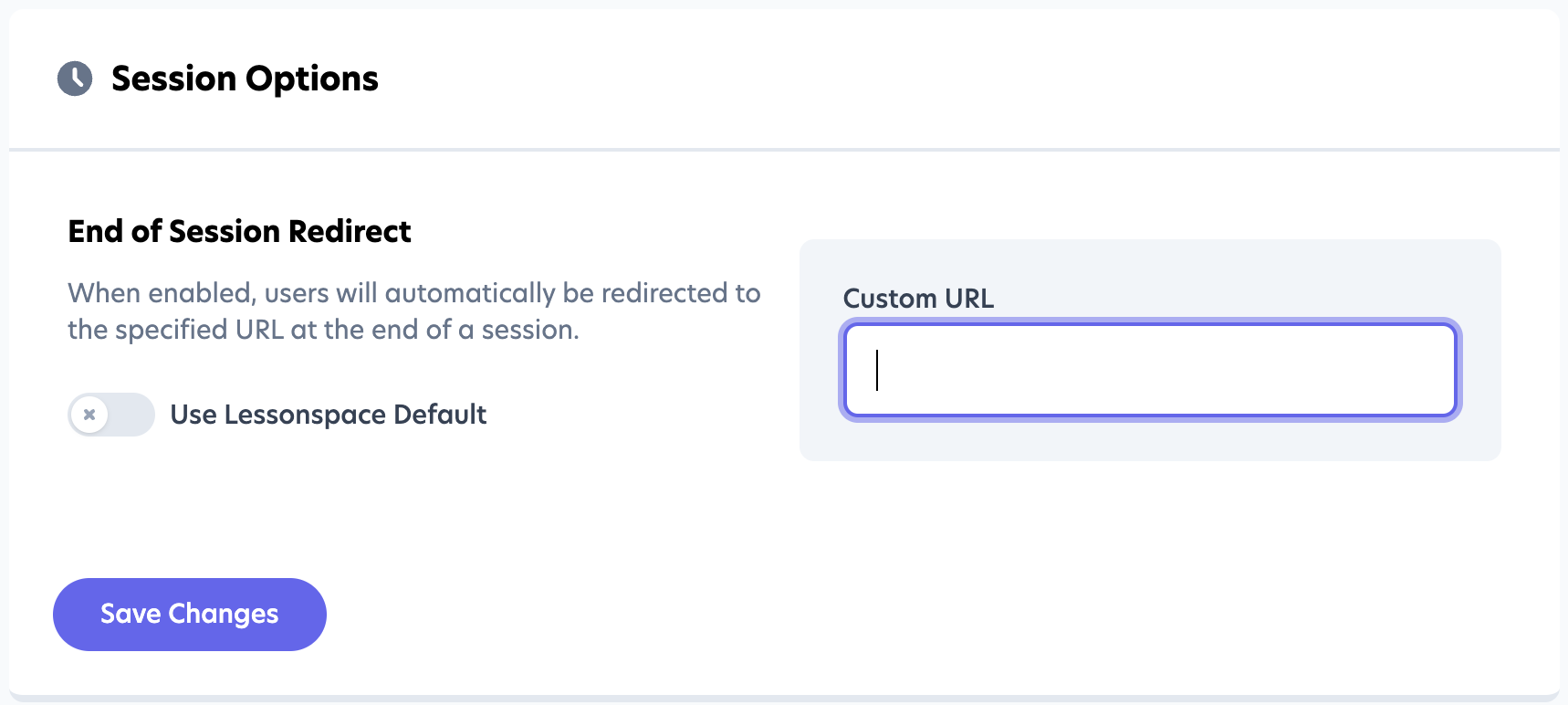
You can now automatically redirect students & tutors to a custom web page at the end of every Session.
To activate this feature you will need to set a redirect url; go to Space Settings, under the Settings menu and scroll down to 'Session Options'. Disable the Lessonspace default and enter your redirect url.